
KatanaSpin Mobile App Download & Review United Kingdom – iOS, Android & Web
If you came here hunting for a KatanaSpin app in the App Store or a shiny APK file for your Android phone, this independent review will save you the search: there isn’t one. What KatanaSpin Casino runs instead is a browser-based mobile site that you can pin to your home screen so it behaves almost exactly like an installed app — same games, same account, no download folder full of mystery files. Here’s how it actually works on an iPhone and on Android in the UK, and where the real limits are.
Table of contents
Does KatanaSpin Have a Mobile App?
No. KatanaSpin Casino does not publish a native iOS or Android application. The casino runs as a progressive web app (PWA) — you open it in Safari or Chrome and, if you want, add it to your home screen as an icon. Every feature lives inside the browser, so there is nothing to install from a store.
That’s worth saying plainly, because plenty of searches for a KatanaSpin casino app assume a download exists somewhere. It doesn’t. The operator’s own setup treats the mobile site as the mobile product, and the home-screen shortcut is the closest thing to an app icon you’ll get. In practice that means no App Store listing to check, no Google Play page, no version number to compare, and no separate install size eating into your storage — the site loads the same way any website does, with your phone’s browser cache doing the heavy lifting.
There’s an upside to that model. You never wait for an update to roll out, because whatever the operator changes on the site is live the next time you open it. New game releases, adjusted promotions, redesigned menus — they simply appear. The trade-off is that the experience depends on your connection and your browser, and you don’t get the deep operating-system hooks a native app can use, such as its own push notification channel or biometric unlock built into the app itself.
Devices and Requirements
Because it’s a website rather than an installed package, the requirements are refreshingly boring: a modern iPhone, iPad or Android phone with an up-to-date browser and a working data or Wi-Fi connection. Safari on iOS and Chrome on Android are the two browsers the PWA approach is built around. There is no minimum RAM sheet, no APK size to budget for, and no compatibility list to scroll through before you can play.
Is KatanaSpin Available on Mobile in the United Kingdom?
KatanaSpin accepts UK players and the mobile site is reachable from a UK phone, with balances in GBP (EUR, USD and crypto are also supported). Licensing is where you should slow down: the official key-facts table lists a Curaçao / Anjouan licence, while a separate review cites a Curaçao eGaming licence and others make different claims — the sources genuinely conflict, and at least one review notes there is no UK Gambling Commission licence and no direct GamStop integration. That’s an offshore setup, so treat the protections accordingly and decide with your eyes open. The wider brand picture is covered on the main review: KatanaSpin Casino.
How Do I Download the KatanaSpin App?
You don’t download anything. To get an app-style icon, open the casino in your phone’s browser, then use the browser’s own “Add to Home Screen” option. That creates a launcher that opens KatanaSpin full-screen without the address bar. No App Store download, no APK file, no third-party installer is involved at any point.
This is the part where people get caught out. Searches for a KatanaSpin app download or an APK will inevitably turn up file-hosting sites offering something that claims to be the casino. Since the operator does not distribute an Android package, anything advertised as one did not come from them — and installing an unknown APK means handing an unvetted file permission to read your storage and, potentially, your login details. The safe route is the boring one: browser, official site, home-screen shortcut.
| Platform | Browser to use | How to add the shortcut |
|---|---|---|
| iPhone / iPad | Safari | Open the casino, tap the Share icon, scroll to Add to Home Screen, name it, tap Add |
| Android phone / tablet | Chrome | Open the casino, tap the three-dot menu, choose Add to Home screen or Install app, confirm |
| Desktop | Any modern browser | No shortcut needed — the site is used directly in a tab |
How to Set Up KatanaSpin on iPhone
On iOS the flow takes under a minute. Open Safari — not Chrome, because on iPhone the Add to Home Screen option lives in Safari’s share sheet — and load KatanaSpin. Log in once so the session is remembered, then tap the Share button at the bottom of the screen, scroll down the list of actions and choose Add to Home Screen. Rename it if you like, tap Add, and the icon lands on your home screen alongside your other apps.
Launch it from that icon and the casino opens without the browser chrome, which makes the lobby feel noticeably roomier on a small screen. Portrait mode handles the lobby, cashier and account pages fine; slots and live tables generally look better in landscape. Since it’s still Safari underneath, you keep iOS conveniences like password autofill from Keychain and Face ID unlocking your saved credentials when you sign in. Account access details sit on their own page: KatanaSpin registration process.
Is There a KatanaSpin APK for Android?
There is no KatanaSpin APK. The operator does not offer an Android package on its site and there is no Google Play listing, so any file circulating under that name comes from a third party with no connection to the casino. Use Chrome and the Install app option instead — it produces the same icon without the risk.
Practically, that also means you should never need to switch on installation from unknown sources for this casino. If a site tells you to disable that protection to “get the KatanaSpin app”, close the tab. A genuine PWA shortcut requires no special permissions at all: no contacts access, no SMS access, no storage access. The only thing your phone is storing is a bookmark with an icon, and you remove it the same way you’d delete any app icon — press and hold, then delete.
What Works on the KatanaSpin Mobile Site?
Effectively everything the desktop site does. The full lobby, your account area, the cashier, bonus tracking and 24/7 live chat all load in the mobile browser. Games are HTML5 titles that resize to the screen, so you’re playing the same slots and live tables, not a cut-down mobile catalogue.
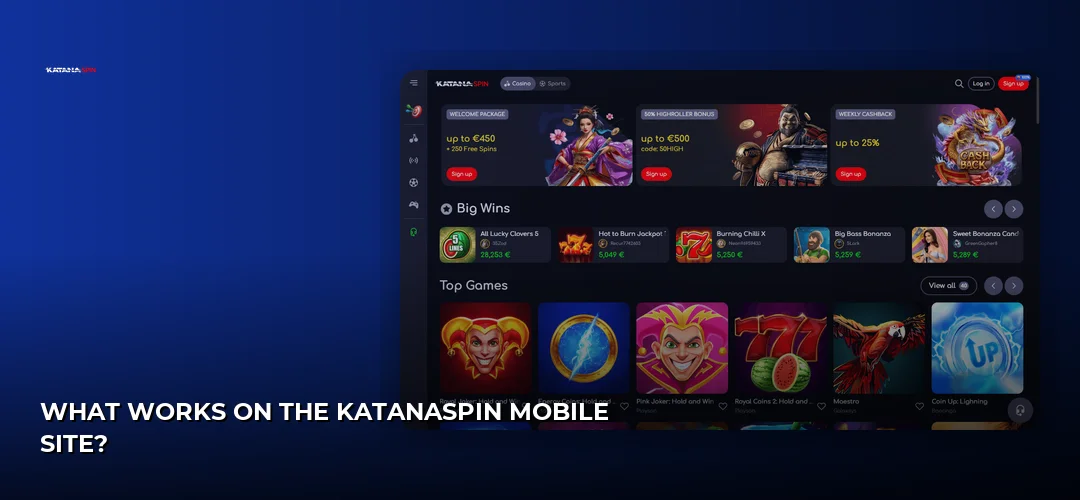
The library on a phone pulls from the same studios you’d see on a laptop — Pragmatic Play, NetEnt, Play’n GO, Hacksaw Gaming, Nolimit City, Wazdan, BGaming, Microgaming, Habanero, Yggdrasil and Red Tiger for slots, with Evolution running the live dealer tables. Live streams are the most bandwidth-hungry thing you’ll open, so a stable Wi-Fi or 4G/5G signal makes a real difference there; slots cope better with a patchy connection.
| Task | How it behaves in the mobile browser |
|---|---|
| Browsing games | Vertical scrolling lobby with search and category filters sized for thumbs |
| Playing slots | Full-screen HTML5 launch, portrait or landscape, no separate download per game |
| Live dealer tables | Streaming video with chat — best on a strong connection, landscape recommended |
| Depositing | Cashier opens in the same session; card and e-wallet forms use your phone’s autofill |
| Withdrawing | Requested from the account area after KYC is complete; approval happens off-app |
| Support | Live chat widget and email, available around the clock |
Banking From Your Phone
The cashier is fully usable on a handset. UK players deposit in GBP from £10 using Visa and Mastercard, Skrill, Neteller, PayPal, Trustly, bank transfer, Paysafecard, or cryptocurrencies including Bitcoin, Ethereum, USDT and XRP. Withdrawals pass an internal approval stage of 24–48 hours before the payment rail takes over, and your first cashout requires KYC — government-issued photo ID (passport, driving licence or UK national identity card), proof of address no older than three months (utility bill, bank statement, council tax letter or official government letter), plus a selfie or payment-method check. Uploading those documents from a phone camera is usually quicker than scanning them. Full timings, limits and fees live here: KatanaSpin payment methods.
Notifications and Settings
Because there’s no native app, there’s no separate app settings screen — everything is handled inside your account area in the browser, and communication reaches you by email and on-site messaging rather than through an app notification channel. Bonus progress, including the 35x wagering on the welcome package, is tracked in the same account section you’d use on desktop.
Should You Use the Home-Screen Shortcut or Just the Browser?
Use the browser if you play occasionally or from a shared device; add the home-screen shortcut if KatanaSpin is a regular stop. The shortcut opens full-screen and skips the address bar, which frees up space for the lobby, while a plain tab keeps everything in your normal browsing session and leaves nothing on your home screen.
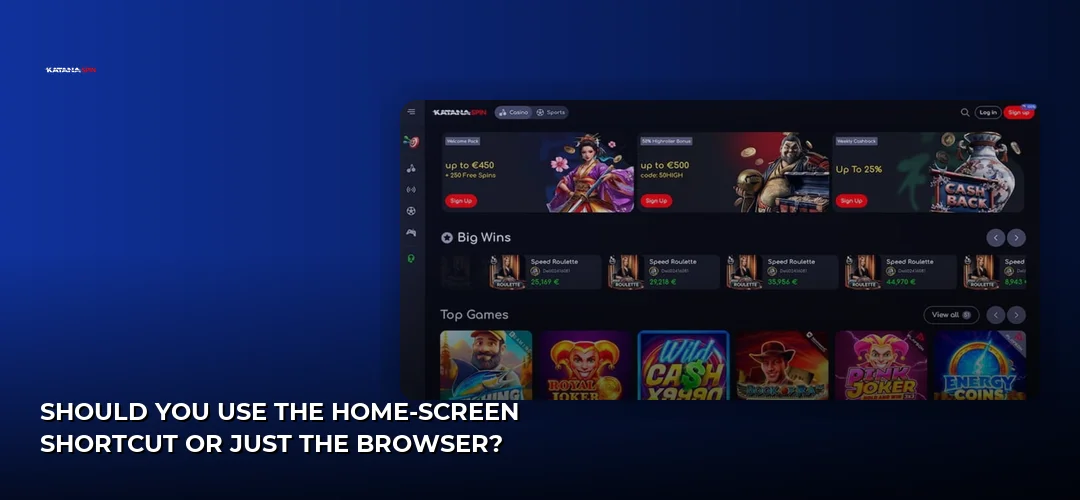
The mobile site itself is responsive rather than a separate build, so the same pages simply reflow: menus collapse into a burger icon, game tiles stack, and the cashier fields stretch to full width. That’s why nothing is missing compared with desktop — it isn’t a stripped-down alternative, it’s the same site adapting. A tab is also the better choice if you share a phone or tablet, since a home-screen icon advertises what you play to anyone who picks the device up.
| Consideration | Home-screen shortcut (PWA) | Plain browser tab |
|---|---|---|
| Launch speed | One tap from the home screen | Open browser, then bookmark or type the address |
| Screen space | Full-screen, no address bar | Address bar and browser toolbar stay visible |
| Privacy on a shared device | Icon is visible to anyone using the phone | Nothing shown outside the browser |
| Storage used | An icon plus browser cache | Browser cache only |
| Updates | Automatic — the site is always current | Automatic — the site is always current |
One more reason the browser route suits this brand: the welcome offer is claimed in the cashier during your first deposit, not through any app-only flow. That package is advertised as 100% up to £1,000 + 100 Free Spins with a £10 minimum deposit, 35x wagering, a £5 maximum bet and 30-day expiry (a separate review lists 40x on the deposit match and 35x on free-spin winnings, with slots contributing 100% and table games about 10%). The detail sits on its own page: KatanaSpin bonuses and promotions.
Frequently Asked Questions about KatanaSpin
Does KatanaSpin Have a Mobile App?
No. KatanaSpin Casino has no native iOS or Android application. It runs as a progressive web app, meaning you play through Safari or Chrome and can add a home-screen icon that opens the site full-screen. Functionally it covers everything desktop does, but nothing is installed from an app store.
How Do I Download the KatanaSpin App?
There is nothing to download. Open the casino in your mobile browser, then use Add to Home Screen in Safari’s share menu on iPhone, or Add to Home screen / Install app in Chrome’s menu on Android. That creates the icon. Any site offering an installable KatanaSpin file is not the operator.
Is the KatanaSpin APK Safe to Download?
The operator does not distribute an APK, so any file claiming to be one comes from an unrelated third party. Installing it would mean disabling Android’s unknown-sources protection for a package nobody has vetted, which risks your device and your login details. Use the browser shortcut instead — it needs no permissions.
Can I Play KatanaSpin on iPhone?
Yes, through Safari. Load the site, sign in, then tap Share and Add to Home Screen for an app-style icon. Slots and Evolution live tables run as HTML5 in the browser, and iOS extras such as Keychain autofill and Face ID unlocking of saved credentials still work when you log in.
Is KatanaSpin Available on Mobile in the United Kingdom?
The mobile site accepts UK players and supports GBP balances. Licensing is offshore and the sources disagree: the official key-facts table lists a Curaçao / Anjouan licence, another review cites Curaçao eGaming, and at least one notes no UK Gambling Commission licence and no direct GamStop integration. Weigh that before depositing.
Do I Need the App or Can I Use a Mobile Browser?
The browser is the only option, and it is not a compromise. The site is responsive rather than a reduced mobile version, so the lobby, cashier, bonus tracking and 24/7 live chat all behave as they do on desktop. The home-screen shortcut just removes the address bar for extra screen space.
What Games Can I Play on KatanaSpin Mobile?
The same catalogue as desktop. Slots come from studios including Pragmatic Play, NetEnt, Play’n GO, Hacksaw Gaming, Nolimit City, Wazdan, BGaming, Microgaming, Habanero, Yggdrasil and Red Tiger, with Evolution supplying live dealer tables. Everything runs in HTML5, so no per-game downloads are needed on a phone.
How Do I Update KatanaSpin on My Phone?
You don’t. Because it is a website rather than an installed app, changes go live the moment the operator publishes them and you get them on your next visit. If something looks stale or a page misbehaves, clear your browser cache for the site and reload — that is the closest thing to an update.
If the browser-first setup suits how you play and the offshore licensing sits comfortably with you, the next step is to open KatanaSpin on your phone and pin it to your home screen.